
How to use Insytful to detect old content on your website

TL;DR [too long; didn't read] 🤯
- Content audits help to uncover digital clutter.
- Use Insytful's inventory to identify obsolete and oversized files.
- Review documents that are over five years old.
- Keep files under 5MB. Large PDFs slow down your site.
- Improve SEO, site speed and shrink your digital footprint.
- A full Insytful site scan will help you get started with confidence.
Are you on a mission to reduce the number of documents and PDFs on your website, but unsure where to start?
Or perhaps your goal is to keep your content fresh and relevant. Content audits can feel overwhelming when you don't have the right tools to help you.
In this blog, we'll be focusing on the document inventory feature in Insytful. We'll help identify outdated and oversized PDFs and documents, allowing you to reduce your digital footprint.
Skip to:
Identifying the problem: outdated PDFs
Why do regular content audits matter?
The inventory in Insytful
How does the inventory in Insytful help?
A step-by-step content audit using Insytful
Summary: Take control of content audits with Insytful
Identifying the problem: outdated PDFs
Insytful scans many websites each week, and often scans reveal old PDFs. And when I say old, I mean five years and older. We've even seen some PDFs from the early 2000s. Not only are these documents unlikely to be accessed by anyone, but they also contribute to making your digital footprint larger and your website slower.
It made me wonder if the Insytful community realises they have a helpful feature at their disposal to make removing obsolete content easier. It's a simple feature in Insytful, but it can really help anyone on a content auditing journey.
If you have redundant content on your website, keep reading.
Why do regular content audits matter?
Websites with fresh and relevant content provide a good user experience. It indicates to visitors that the company is still in operation, cares about communicating with customers, and thereby builds trust. Plus, up-to-date content is favoured by search engines.
On the other hand, outdated content not only erodes brand trust but also negatively impacts SEO. Search engines and AI favour fresh content as source material. Therefore, the older the content on your site, the less likely it is to appear in search results. And if your content can't be found, what is the point of it being on your website?
What are the benefits of regular content audits?
The benefits of a regular content audit are:
- Ensuring your website meets user expectations
- Keeping your content fresh and reflective of current perspectives
- Improving your website's SEO performance
- Preventing your website from becoming saturated with old content, that can slow your site down
However, keeping track of all your website's content can be time consuming if you're a small team and overwhelming if you have hundreds of pages.
That’s where Insytful’s inventory feature comes in. Insytful makes it easy to spot and manage legacy content across your site. The inventory makes conducting a regular content audit easier, so you can monitor which documents to keep, update, or remove.
The inventory in Insytful
Enter the inventory feature in Insytful which collects and analyses all site content.
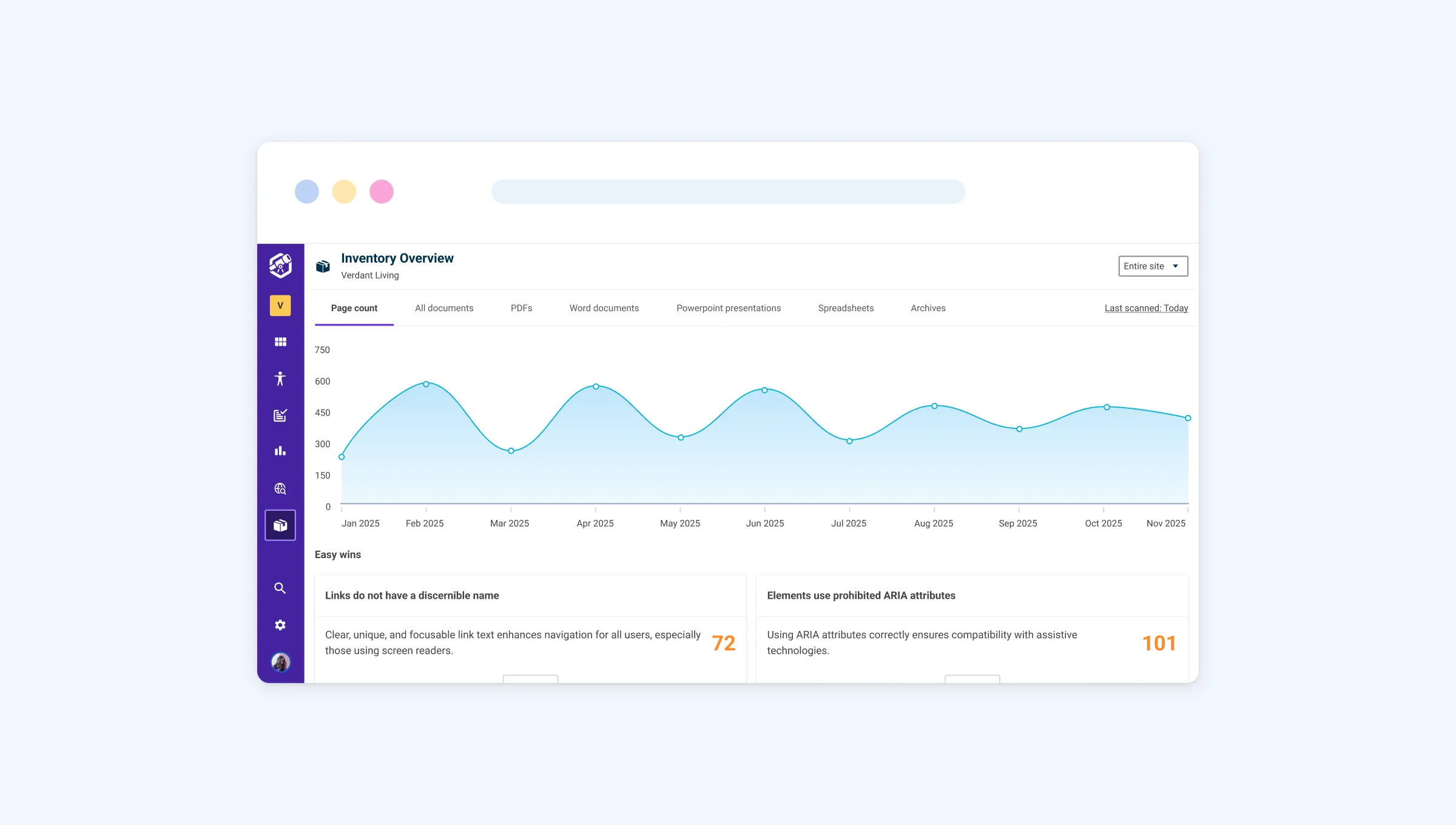
The inventory categorises all content found on a site, from HTML pages, document types and contact information, including:
- PDFs
- Word documents
- PowerPoint presentations
- Spreadsheets
- Archive files (Includes .rar, .zip and other extensions)
The inventory also finds and categorises:
- Email addresses
- Phone numbers
How does the inventory in Insytful help?
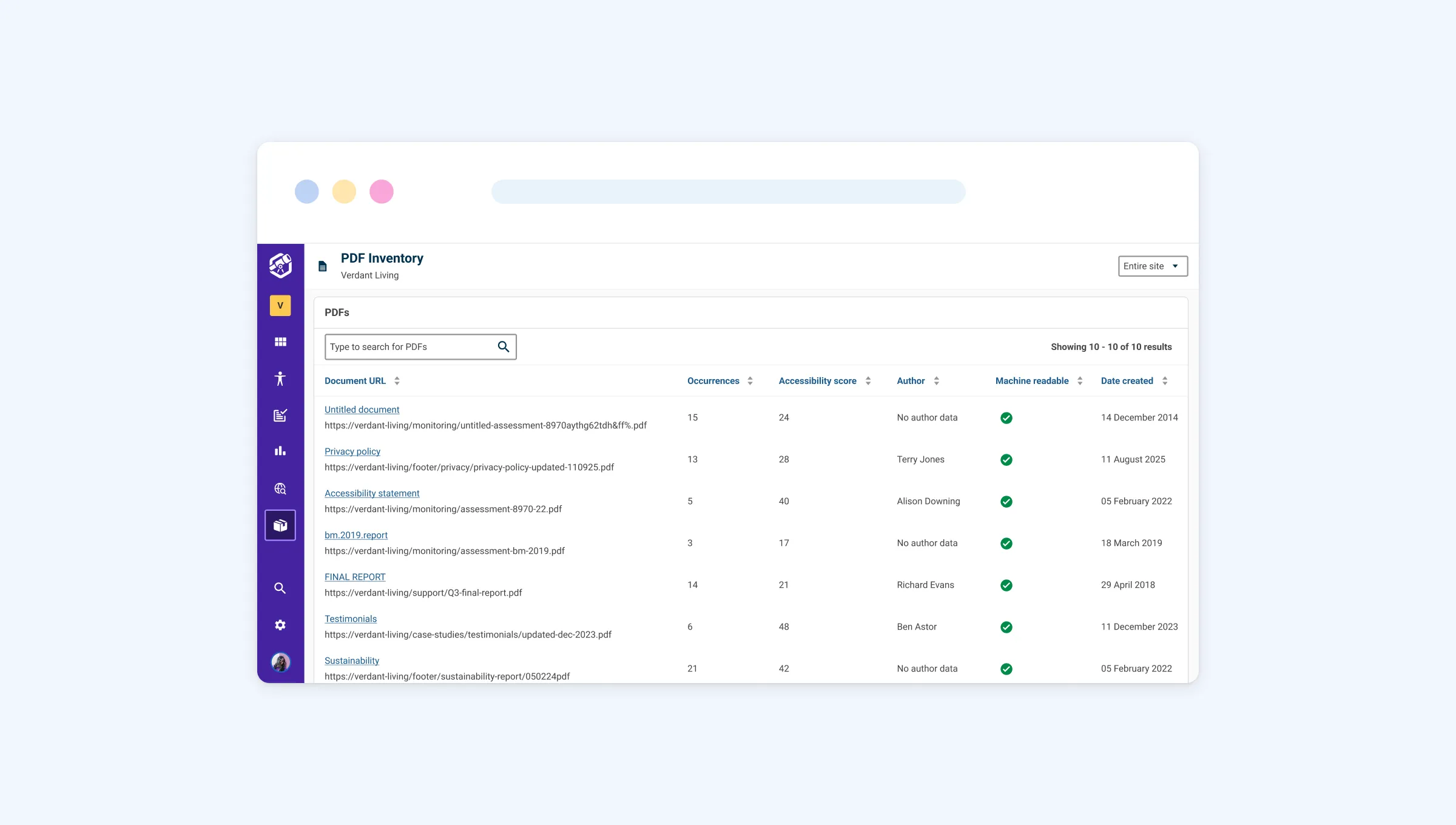
The inventory lists all site assets in one place making it simple to find a particular document type to audit.
You can identify outdated content by sorting it:
- By the date a document was created
- By the date it was last modified.
Alternatively, you can also sort files by size, if reducing the size of large files on your website is also an aim. Between these three filters, Insytful helps make it easy to decide what can be removed or archived.
Signs of an outdated PDF and documents
It depends on the context when someone classifies a PDF or document as old. Generally speaking, after five years, we consider the content to be outdated.
Unless you are an archive or a museum, PDFs and documents on your website that are over six years old are generally not necessary.
Of course, the decision depends on a document’s purpose and relevance, but in most cases, neither visitors nor site managers need access to outdated materials. Your website's performance and the environment will benefit from removing them.
When should you remove outdated content from your website?
When deciding if a PDF or document should be removed from your website, ask yourself:
- Is the information current and valuable?
- Is there a legitimate business reason to keep them?
- Is there a legal reason to keep them?
- Is there a historical reason to keep them?
- Is the content duplicated or available elsewhere?
- Is anyone viewing the document (check your web analytics tool)?
Based on the questions above, you'll be able to gauge if something is worth keeping. If the content is outdated and is not considered valuable, it's probably time to consider archiving or removing it.
A step-by-step content audit using Insytful
If you're unsure how to get started with a content audit, follow these steps below.
Before you begin, make sure you have a clear idea of what's too old for your organisation. Some older content may still be deemed valuable and relevant, so check before removing it. If multiple people are involved in the content audit process, using a content inventory document can facilitate collaboration.
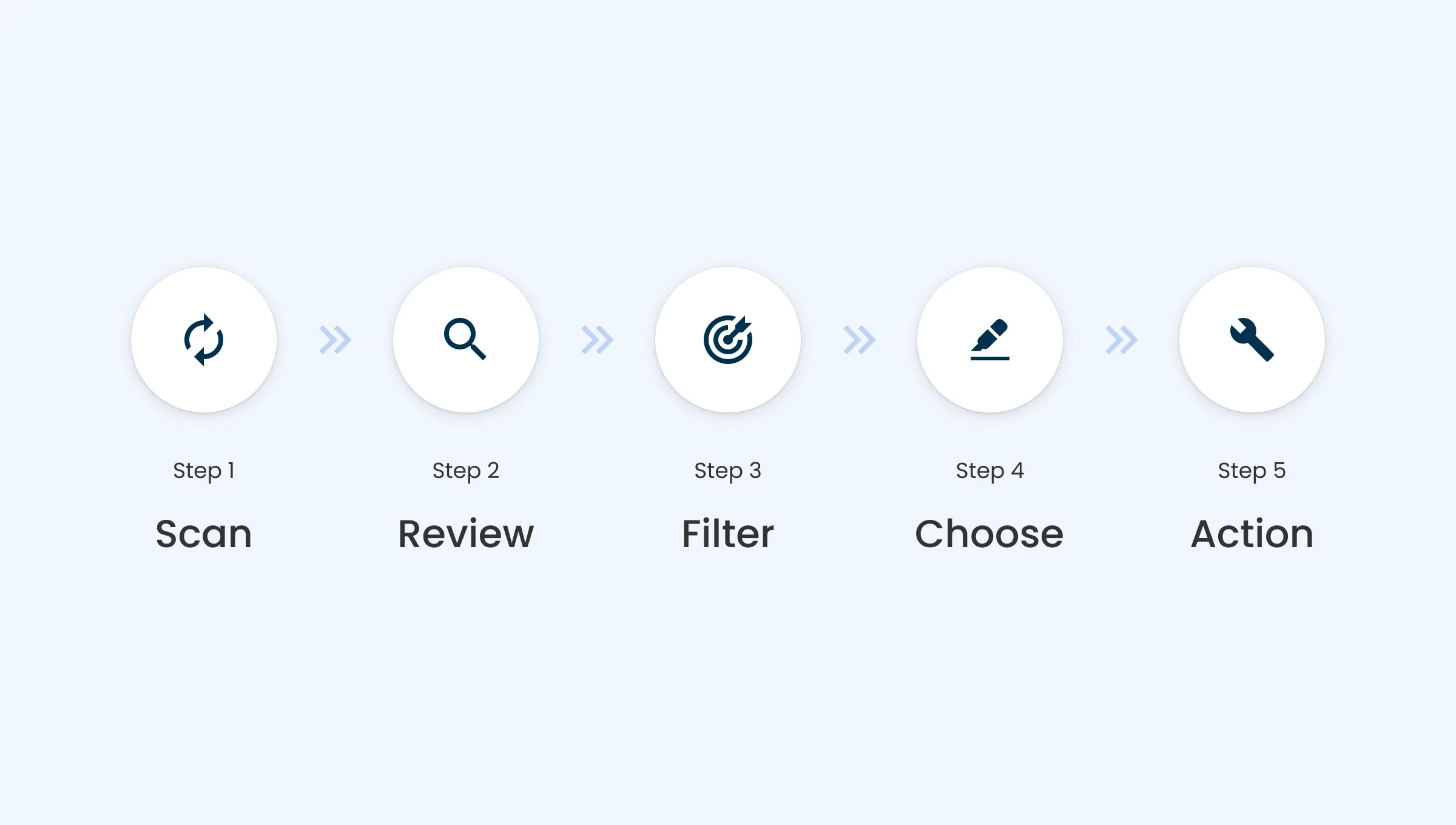
Step 1: Scan your whole site with Insytful.
Gain full insight over your website and identify all pages and documents.
Step 2: Review all documents found.
Using the inventory in Insytful, you can view all PDFs, Word documents, spreadsheets, and other documents stored. We suggest focusing on PDFs as they are often inaccessible.
Step 3: Filter by age and size.
In the inventory, use the filters to highlight documents over five years old or are unusually large for review. Anything over 5mb is considered very large.
Step 4: Make decisions with purpose.
The final step is to decide whether a document should be kept, updated, removed or archived. This can be done based on relevance and purpose.
Step 5: Take action and monitor
Once you've made changes to your website, removing or archiving outdated content, you can rescan your site with Insytful. You can then reschedule another content audit in 12 months or less, depending on your business requirements. Content audits should be a recurring process, not a one-off task.
Summary: Take control of content audits with Insytful
Every website accumulates outdated files over time. When you're managing hundreds of documents, it can feel overwhelming to know where to start. But it doesn't have to be that way. Insytful’s inventory gives you the clarity and confidence to manage your content responsibly, helping to reduce clutter and enhance your website’s performance.
Keeping your site up to date has benefits beyond website performance and speed. It’s also beneficial for your brand, your SEO presence, your users, and the environment. Regular content audits should be part of your content management process to create a faster and greener digital presence.
Scan your site with Insytful and see how easy it is to start your content auditing journey.