
Content quality best practices: How to improve your readability score

Insytful scores your website content quality across multiple metrics: readability, broken links, and spelling errors. All three metrics are essential in improving web visitors' user experience.
In this blog, we're focusing on how to improve your readability score. Readability is the practice of making content easier to read. By improving content readability, you increase the chances that your message will be easily understood.
If you want to improve your content readability score, read on for more tips.
Skip to:
The business benefits of readability
How to improve the readability of your writing
Readability recap
Readability reminders
About the Flesch-Kincaid Reading Ease formula
The business benefits of readability
Regardless of the topic, if your web visitors can't understand your web content, it's costing your business. If your content is difficult to understand, it could result in:
- More requests for human interaction: For example, an increase in phone calls to access and understand basic information, such as how to book an appointment.
- Increased support requests: For example, more support requests and clarifications, such as how to start a return to send back an online purchase.
- Not getting the desired outcome: For example, slow or no response rates for feedback forms, because the content is hard to digest.
Small, impactful changes, such as reducing sentence length, can improve website interaction.
How to improve the readability of your writing
Improving the readability of your writing involves several simple steps. These include using plain English, shorter sentences and reducing syllables per word.
1. Use plain English
Editors can get started by using simple vocabulary. By using familiar, conversational words, you can make your content accessible to everyone.
If content that is readable for all ages is your goal, try these readability word swaps:
- Replace utilise (complex) with use (simple)
- Replace commence with start
- Replace demonstrate with show
- Replace facilitate with help
- Replace obtain with get
Simple vocabulary in action
While you may be tempted to use complex language because it sounds more exciting, it can confuse and alienate your audience.
Example 1 - difficult to read vocabulary:
Wow, what a mouthful. The example above was written for a PhD-level reading age. In contrast, the message below is the same but written in plain language for the average reader.
Example 2- easy to read, simple vocabulary:
The second example reduces the "alphabet soup" to a clear and concise message, which is the key to effective communication.
Drawbacks of over-simplified vocabulary
Sometimes, over-simplifying your vocabulary can miss your point entirely.
For example, simplifying “Security Deposit” with an equivalent phrase, such as “Promise Money,” makes the content more ambiguous. The phrase might appear more straightforward on the outside looking in, but it can cause more damage than good.
The lesson? You may improve your readability score by choosing simpler words, but you might make your point more confusing in the process.
2. Use shorter sentences
Sentence length is one of the biggest factors in readability. To improve comprehension, editors should break long, complex sentences into manageable segments.
Sentence length best practices:
- Sentences with more than 20 words are hard to read. Breaking up large sentences into shorter sentences or bullet points helps comprehension.
- Mix it up. Variation matters with reading. Give your writing interest and rhythm with a mix of short and medium sentences. Short sentences are considered under 12 words, and medium sentences are considered 15 to 20 words.
Shorter sentences in action
Here are two sentences, with the same meaning, written for two different reading ages.
Example 1 - difficult to read, long sentences:
Example one is aimed at a PhD-level reading age, which is considered to have a low readability score, making it difficult to read. In contrast, example two is written for the average reader, in plain language, with a high readability score.
Example 2 - easy to read, varied sentence lengths:
Pitfalls of shorter sentences
Improving readability isn't just about chasing a perfect content quality score. The goal should always be to improve the output of your content, make it clearer for your audience, and make it more engaging.
By switching all sentence lengths to short snappy sentences, you risk sounding:
- Robotic.
- Blunt.
- Or having no flow.
Sentences should have variety. Mixing up short and medium-length sentences helps get your message across and keep readers engaged. Variety is the spice of life, which also goes for sentence length, too.
3. Consider your syllables
The next step is considering the syllable count, the average number of syllables per word, and sentence length. Words with more syllables can negatively impact readability, and here's why.
- Usually, words with more syllables are more complex.
- Words with more than three syllables (polysyllabic) require more processing effort.
- This extra effort can slow down reading speed, especially for readers with lower literacy levels or those reading in a second language.
Multiple syllables in action
Longer, multi-syllable words generally take more time for the brain to decode and understand. For example, facilitate has four syllables. In contrast, help only has one syllable.
Therefore, using short, simple words and avoiding jargon makes your text more accessible to a broader audience.
Example 1 - multiple syllables in a sentence
Example 2 - mainly single syllables in a sentence
Issues with single syllable words
Sometimes, you need words with more than one syllable. And that is ok. Being too extreme with multiple syllables makes your text look like word soup. But equally, only having single-syllable words can sometimes lose the essence of what you're saying.
For example, there isn't a great one-syllable alternative for accessibility. Accessibility is a four-syllable specialist term that would be confusing to replace with anything else.
Readability recap
It really does pay to make your content readable. The business benefits are enormous: reduced high-cost human support and increased digital conversions.
Making content readable should be a common practice online. Because unsurprisingly, 80% of people prefer sentences written in clear English.
To ensure your audience understands your content, use plain language. Reduce your sentence lengths to under 20 words to improve comprehension and flow. Also, remember the number of syllables per word in longer sentences. The three checks will help improve clarity and increase the chances of your message being understood.
We hope the examples above show that readability tweaks can improve your content. If your content is quite technical, the GDS provides more examples of how to write well for the web and for specialists.
Readability reminders
To improve writing clarity, follow these steps:
- Use plain English.
- Focus on simple vocabulary (use easy words, no jargon).
- Use layman’s terms to make your content more accessible.
- Write conversationally, as someone with authority that can help.
- Organise text into shorter sentences and paragraphs.
- Sentence length should be between 15-20 words.
- Use headings or bullet points to break up dense information.
- Reduce polysyllabic words (more than one syllable)
Content that is easy to read improves audience comprehension and engagement with your website.
About the Flesch-Kincaid Reading Ease formula
The Flesch-Kincaid Reading Ease formula has become a global standard for creating easy-to-understand content. It was introduced in the 1940s to improve the literacy and accessibility of newspapers and textbooks. The U.S. Navy later adopted it to enhance comprehension of important technical content.
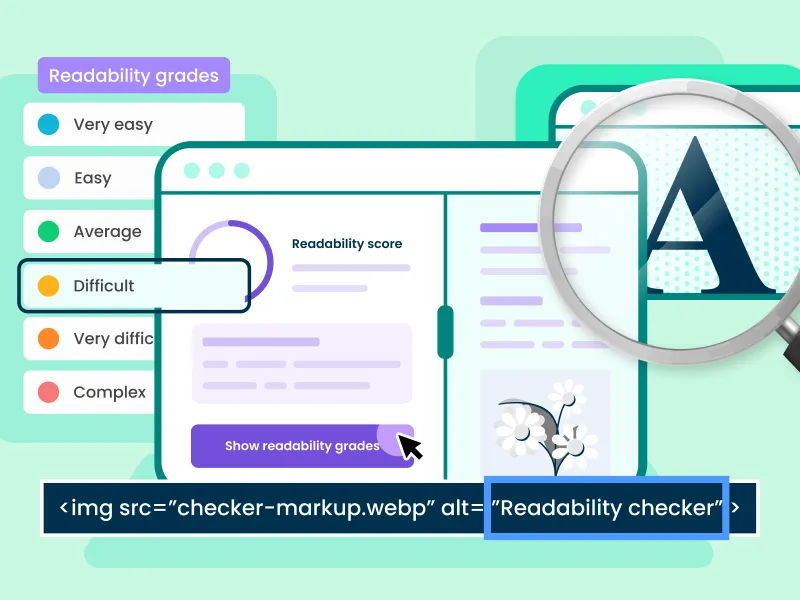
Flesch-Kincaid scores measure readability on a scale of 0 to 100. In theory, the higher the score, the easier the text is to read. The lower the score, the harder it is to read. Scores are broken down into the following categories:
- 90-100 is considered very easy to read
- 60-70 is considered plain English, and easily read by most
- 0-60 is considered difficult
For most website content, aiming for a score between 60 and 70 is ideal.

Related blog posts