
Screen reader technology: The basics

Screen readers convert on-screen text into speech or braille, enabling visually impaired users to interact with digital content. These tools are crucial for equal access to online information and services.
TL;DR [too long; didn't read] 🤯
- Screen readers are a form of assistive technology.
- They make digital content accessible to users with visual impairments.
- Screen readers help people with vision impairments and access needs be autonomous with daily tasks like emailing and online banking.
- JAWs, NVDA, Narrator, VoiceOver and TalkBack are popular screen readers.
Ever wondered why using correct heading levels was so important for accessibility? Or why "click here" is discouraged as a call to action? We'll dive into exactly why it's so important in this introduction to screen readers.
Keep reading to get an overview into this assistive technology, the different types of screen readers available and the benefits they provide to people with access needs.
In the blog:
What is a screen reader
Types and examples of screen readers
Screen reader compatibility and accessibility
Benefits for screen reader users
Overcoming common challenges
The future of screen readers
Final thoughts: Embracing the future of accessibility with screen readers
What is a screen reader?
A screen reader is a type of assistive technology software.
Assistive technology: Assistive technology supports individuals with disabilities, restricted mobility or other impairments to perform actions that might otherwise be difficult or impossible. The technology assists individuals, and helps to improve and maintain their daily quality of life by easing or compensating for an injury or disability.
A screen reader is an application designed to help people who are:
- Blind
- Partially sighted
- Or those who process written content differently, scuh as those with dyslexia, ADHD, or other neurodivergent thinking styles.
By converting text displayed on a screen into speech or braille output, screen readers allow users to navigate and interact with digital content independently.
These tools support various applications and environments, like web browsers, word processors, and operating systems. They help users by providing auditory or tactile feedback as they interact with text, menus, and other elements on the screen.
Some popular screen readers are:
For the best user experience, screen readers need organised content that adheres to accessibility standards, like the Web Content Accessibility Guidelines (WCAG). These guidelines make sure that digital information is easy to see, use, and understandable for everyone.
How do screen readers work?
Screen readers interpret what's displayed on a computer screen and turn it into a format that users with visual impairments can access. The software starts by extracting text from the graphical interface. Then, processes it to identify the structure, including headings, lists, and links, which makes navigating the content much easier.
The output: speech and braille
Once the text and structure is sorted, the screen reader translates the information into either synthesised speech or braille output, depending on the user's preference. They use a speech synthesiser to read the text aloud, while a refreshable braille display converts the text into tactile braille characters. Many screen readers also let users adjust how information is presented, with settings for speech rate, pitch, and verbosity to suit individual needs.
The outcome: inaccessible content creates a poor experience
How well a screen reader works is heavily influenced by the quality of the code and the digital content's ability to comply with accessibility standards. If the code and content aren't created with accessibility as a primary goal, the screen reader experience will range from poor to unusable.
For example, often screen readers will navigate from link to link, therefore links need to make sense out of context. Click here or read more links are ambigiuous, whereas "sign up to the newsletter" is not.
Types and examples of screen readers
Screen reading software comes in various types, each tailored to support different operating systems and modes of use. Let's explore some of the most common ones:
Desktop screen readers
These are installed directly on computers and offer extensive support across various applications. Some notable examples include:
- JAWS (Job Access With Speech): Popular among Windows users, JAWS is loaded with features and allows for a lot of customisation, making it user-friendly for both beginners and pros.
- NVDA (NonVisual Desktop Access): This open-source screen reader is free and supports a range of applications. It's known for its intuitive design and the strong community backing it up.
- Narrator: Built into the Windows operating system. According to a survey by WebAIM, Narrator is used by approximately 36.8% of respondents, though only 0.5% reported it as their primary screen reader.
Mobile screen readers
Perfect for smartphones and tablets, these screen readers work hand-in-hand with mobile operating systems. Key examples include:
- VoiceOver: Integrated into Apple's macOS and iOS, VoiceOver offers a seamless, gesture-based navigation experience, making it easy for users to interact with their devices.
- TalkBack: Designed for Android devices, TalkBack provides spoken feedback, helping users easily navigate apps and system settings.
- Siri and Google Assistant: Many screen reader users also use voice assistants (like Siri or Google Assistant) for navigation.
Browser-based screen readers
These tools are accessed directly through web browsers, enhancing accessibility while browsing online content. Some examples are:
- Read & Write: This literacy support tool works with browsers, allowing users to have text read aloud while also offering writing and editing help.
- ChromeVox: Specifically designed for Chrome and Chromebook, ChromeVox transforms on-screen content into speech, making web browsing more accessible.
Braille display screen readers
There are three different types of refreshable braille devices which are:
- Stand-alone braille display: External devices that connect to computers, tablets or smart phones and display text from the connected device as braille.
- Note takers: Portable devices with a built in braille keyboard and display, ideal for note taking, reading documents or web browsing.
- Smart displays: A hybrid between stand-alone and note takers, they are smaller than note takers and offer more features like clock function and calendar access.
What is a braille display screen reader?
A braille display screen reader is designed to convert digital text into braille for individuals who are blind or have severe visual impairments.
How do braille display screen readers work?
This technology uses a series of small, movable pins that form braille characters as the screen reader software electronically triggers them. When a user navigates through text, the display presents the corresponding braille representation, allowing for tactile reading as users move their fingers across the surface.
What's the difference between a braille display and a traditional screen reader?
Unlike traditional screen readers that provide auditory feedback, braille display offer a tactile alternative. Braille display allows individuals who are blind or visually impaired to engage with digital content directly through touch.
Braille displays often include navigation controls, allowing users to move through documents, web pages, and applications efficiently. As such, braille display screen readers play a critical role in promoting independence and accessibility for individuals relying on braille to interact with digital environments.
Each screen reader technology has unique features designed to meet different accessibility needs and sensory preferences.
Screen reader compatibility and accessibility
Ensuring digital content is accessible and screen reader compatible is crucial for ethical and legal reasons. Yet despite advancements, visually impaired users still face digital exclusion. This is due to poorly designed websites that ignore accessibility best practices, which create access challenges.
According to WebAim, the most common accessibility failures that create significant barriers include:
- Low contrast text
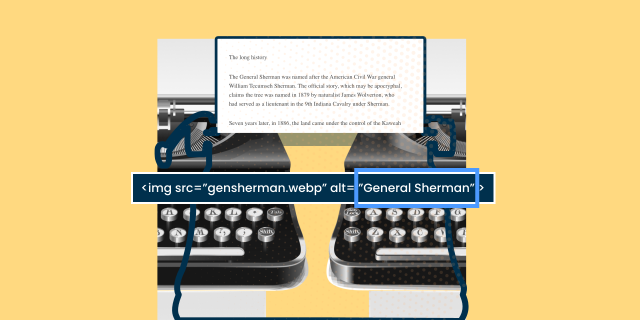
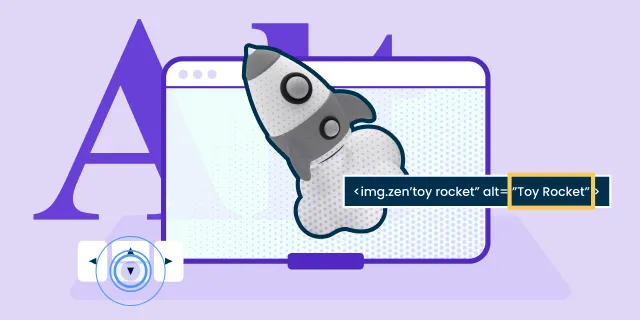
- Unlabelled images (missing alt text)
- Missing form input labels
- Empty links
- Empty buttons
- Missing document language
96% of all errors detected fall into these six categories. These most common errors have been the same for the last 5 years. Addressing just these few types of issues would significantly improve accessibility across the web. - WebAim Million 2025
How can you make your web content accessible?
Creating inclusive content involves creating web pages and apps that comply with accessibility standards like the Web Content Accessibility Guidelines (WCAG). These guidelines emphasise:
- Using semantic HTML
- Correct organisation of headings
- Providing alternative text for images
- And enabling keyboard navigation.
Whose responsibility is it to make websites and apps accessible?
Digital teams, including developers and content creators, all play a part in creating an inclusive digital environment. By understanding the challenges visually impaired users face and staying updated on accessibility regulations, they can help build a more accessible web.
When digital teams prioritise accessibility, they significantly improve user experience for everyone. It's not just a job for developers, it involves designers, content editors and marketers to get it right.
Starting with accessible code
Starting with the basics, accessible code enables screen readers to interpret content and provide meaningful feedback to users. For instance, using landmarks and ARIA (Accessible Rich Internet Applications) roles helps define different sections of a webpage and simplifies navigation for everyone. It's as simple as creating an accessible button, so everyone can interact with your web content. Regularly testing with various screen readers ensures that new updates do not inadvertently hinder accessibility.
Creating accessible content
Once an accessible foundation is put in place, it is then the responsibility of the web editors to keep it accessible. From adding alt text to images, to using headings correctly, these small tweaks help make the content inclusive and accessible to screen readers.
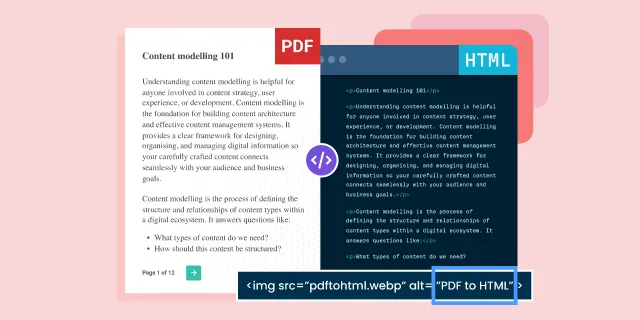
Creating accessible content online also means deciding whether the content should be available as a web page or PDF. PDFs are known to be an accessibility nightmare for screen readers, so best practice is to choose HTML web pages instead. WCAG guidelines state that PDFs must have correct tags, logical reading order, and meaningful alt text, yet many fall short, making them hard to navigate with a screen reader.
However, we know there are some use cases where PDFs are still required, so creating accessible PDFs is the very least editors can do.
Benefits for screen reader users
Independence and autonomy
One of the primary benefits of screen readers is independence. Assistive technology can unlock digital content and provide a lifeline for individuals with disabilities. They allow users with visual impairments to access services and information independently without help. For example, private and sensitive data such as online banking can stay private, with the use of screen readers.
This autonomy is empowering and creates a more inclusive environment for all.
Communication and connection
In addition to independence, screen readers enable individuals with disabilities to communicate and connect with others. From emails, messaging to social media, visually impaired users can participate in both professional and personal conversations. Screen readers help to promote inclusivity and strengthen emotional bonds.
Education and learning
Screen reader technology also supports various learning styles, enabling users to absorb information through auditory means and enhancing comprehension and retention. Neurodivergent individuals may learn or comprehend better via audio descriptions of content, and they should be considered in the design and implementation of screen reader-compatible content.
Overcoming common challenges
Despite the benefits of screen readers, if the content isn't accessible, users will encounter challenges that can hinder their experience.
Common challenge one: Inconsistent website coding
For example, inconsistent website coding and navigation problems, cause issues for screen readers. To address this, developers must stick to accessibility best practices, ensuring semantic HTML is used. Using <div>s and <span>s for everything, instead of semantic elements like <nav>, <main>, <button>, and <form>, makes it harder for screen readers to interpret page roles. This facilitates a logical flow of content, allowing screen readers to present information accurately.
Common challenge two: Inconsistent web content
One editor might be great at adding alt text, but another might not understand the importance of it. Another editor might use“click here” or “read more” as the call to action on the page, but it gives no context when read aloud from a list by screen readers. Screen reader users often navigate by links alone, so descriptive text matters. Understanding the importance of correctly formatted content is the key to inclusive user experiences for everyone.
Did you know?
- Images without descriptive alt text are either skipped or read as “image,” which is meaningless.
- Generic phrases like “click here” give no context about the link destination when read aloud.
- Don't use headings for styling purposes! Skipping heading levels (jumping from
<h1>to<h4>) breaks navigation. Use CSS for visual styling, and keep heading levels consistent for screen reader users. - Inaccessible forms (missing labels, unclear instructions, and no error messages) leave users guessing what to enter and where.
Common challenge three: Screen reader compatibility
The variability in screen reader compatibility across different platforms and browsers is another challenge. To overcome this, users should regularly update their screen reader software. And for website owners, they should perform tests across various screen readers to identify inconsistencies.
The future of screen readers
The future of screen readers is poised for significant advancements, driven by emerging technologies and an increasing emphasis on accessibility.
Artificial intelligence (AI) and screen readers
One exciting development area lies in incorporating AI and machine learning. AI can enable screen readers to provide more contextual and relevant information, enhancing the user interface and individual experience. For example, machine learning algorithms could adaptively refine speech output based on user preferences and patterns, allowing for a more personalised interaction.
However, reliability is still a concern with AI and screen readers. Numerous lawsuits have arisen in recent years, with AI tools producing misleading or incorrect content for disabled individuals.
Virtual reality and screen readers
Integrating virtual and augmented reality (VR and AR) presents interesting possibilities for screen readers. VR and AR technology can create immersive experiences, where information is conveyed through richer audio experiences in real-time. Advancements in natural language processing (NLP) will further enhance the ability of screen readers to interpret complex content. This includes graphs and tables, offering clearer explanations and a better understanding of visual data.
Collaboration among developers, accessibility experts, and users with visual impairments will be essential to realise these advancements. At Zengenti, we work with the DAC to constantly improve the accessibility of our products, testing them with users with various disabilities.
Final thoughts: Embracing the future of accessibility with screen readers
Screen readers are essential tools for people with vision impairments and access needs. They transform digital text into speech or braille, making the online world accessible. By adhering to accessibility standards and creating well-structured content, digital teams can ensure these tools work effectively. Ultimately, providing meaningful user experiences for individuals with visual impairments.
Various screen readers cater to different needs, from desktop applications like JAWS and NVDA to mobile and browser-based options like VoiceOver and ChromeVox. The future holds exciting advancements with AI, machine learning, VR, and AR, promising more personalised and immersive experiences.
Want to check how screen reader-friendly your website is? Start with a screen reader test, or audit your content using tools like Insytful.