

Metadata
Log in to add to favouritesPage last updated 29 April 2026
Surfacing metadata in Insytful
Metadata plays a key role in how your pages appear in search engine results and on social media. Getting it right means better visibility, higher click-through rates, and a more professional presence when your content is shared. Insytful makes it easy to review and improve your metadata across all your web pages.
Getting started
To view metadata for any page, open the page in Insytful and select the Metadata tab. You'll find a breakdown of your key metadata fields along with actionable guidance to help you optimise each one.
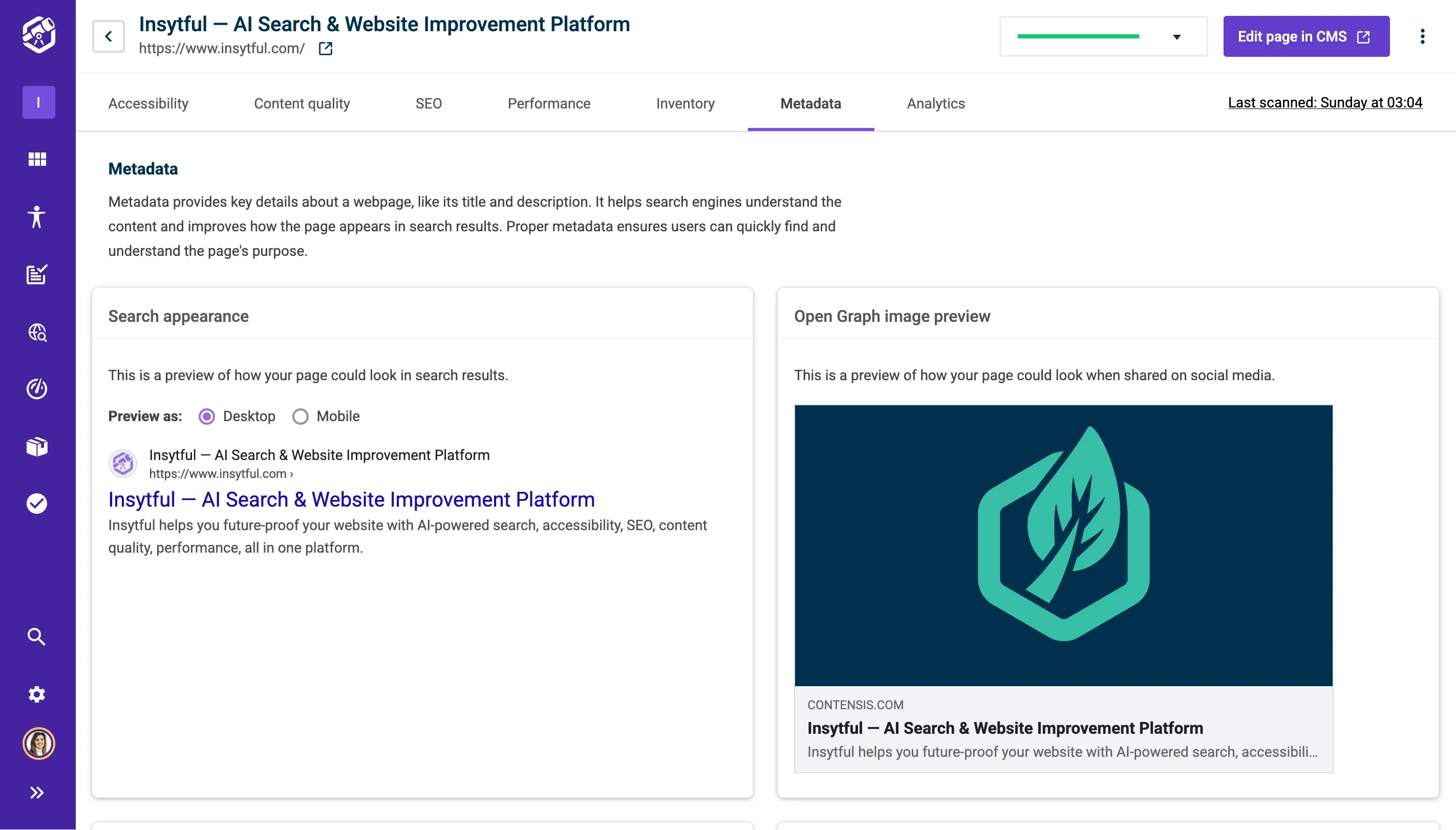
What you'll find in the Metadata tab
- Search appearance: A preview of how your page might appear in Google search results, on both desktop and mobile. Use this to check that your title and description preview as expected.
- Open Graph image preview (social media appearance): A preview of how your page could look when shared on social media platforms like Facebook, LinkedIn, or X. If no Open Graph image is set, the preview will reflect that, so you can take action.
- Page title: Displays the HTML title tag or H1 heading found on your page. Insytful will flag titles that are missing, too short (under 30 characters), or too long (over 60 characters), with recommendations to help you hit the sweet spot.
- Open Graph title: Displays the Open Graph title used when your page is shared on social media. As with the page title, you'll see guidance if it's missing, too short, or too long.
- Meta description: Displays the meta description tag found on your page. Insytful will flag descriptions that are missing, too short (under 50 characters), or too long (over 160 characters), so you can write descriptions that display fully in search results.
- Open Graph description: Displays the Open Graph description used when your page is shared on social media. You'll see similar length and presence guidance as with the meta description.
- Created date: The date the page was first created in your CMS.
- Last modified date: The date the page was last modified in your CMS. Keeping content up to date can be a positive signal for search engines.