
Insytful monthly roundup: July 2025

TL;DR [too long; didn't read] 🤯
New features and improved UI landed in July:
- Benefit from enriched insights with the newly updated page list layout.
- Delegate like a boss with tasks.
- To use assigned tasks in Insytful, your site will need to be rescanned.
In July, we improved our overview list page to provide more in-page guidance. We also fine-tuned and released the tasks feature mentioned in June.
In the July update
This month, we worked on making our list overviews more informative. Our highly anticipated tasks feature finally landed on the Insytful UI in July. Let's dive into the update.
Assigning tasks
As mentioned in the June update, the tasks feature has now been released!
So what does that mean for your teams?
- Streamlined workflows: Break down large content audits into manageable chunks.
- Accountability and ownership: Everyone in your team will know what they’re responsible for, reducing confusion and improving follow-through.
- Cohesion and collaboration: Assign tasks to the right people and bring your cross-functional digital teams together.
- Faster fixes: Whether it’s fixing broken links or updating metadata, issues get resolved quicker.
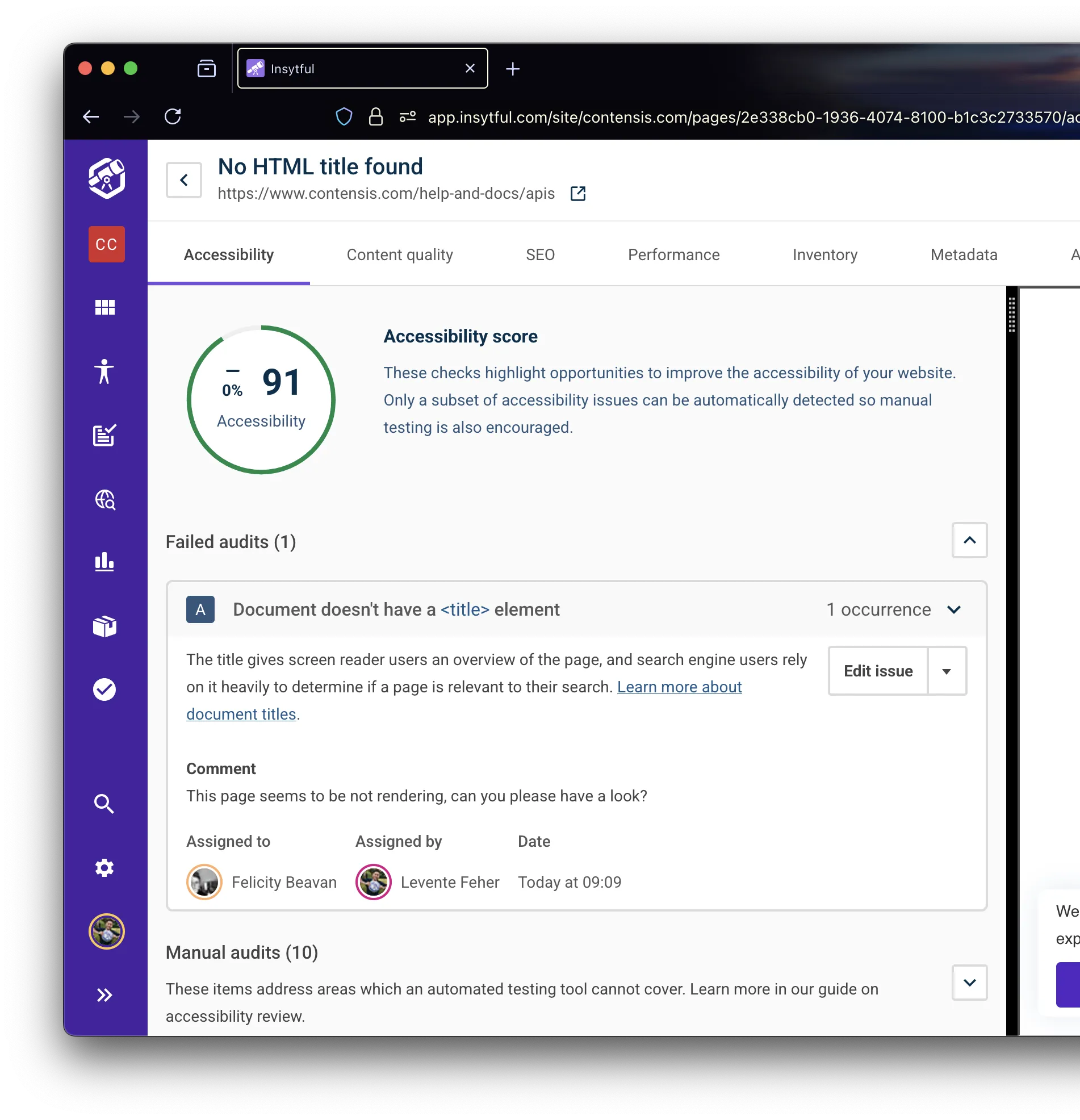
The tasks view (was assigned issues)
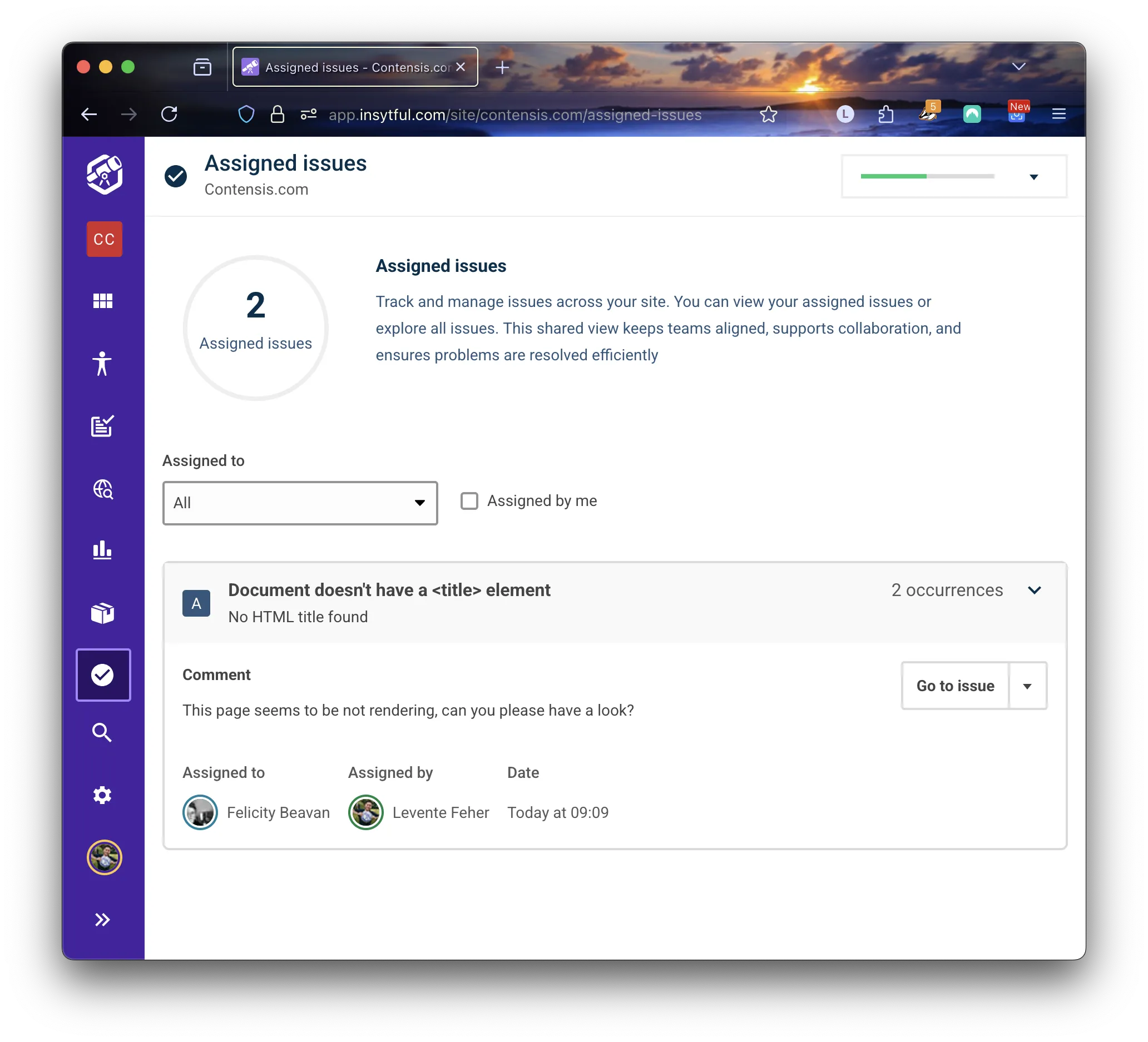
Tasks are now shown in a brand new screen, where you can see all tasks across the site and filter them by role.
Feedback is welcome
As this is the first iteration of the workflow and tasks, we would love to hear your thoughts. Currently, you can only see tasks for the site you are working on. In the future, we plan to support multisite users and progress tracking with more search and filtering options.
If you have any feedback or future requirements, please reach out to us.
How to enable tasks in Insytful
All users with premium subscriptions (Plus and Enterprise plans) have access to tasks. New features, such as tasks, will pop up once the next scheduled site scan takes place.
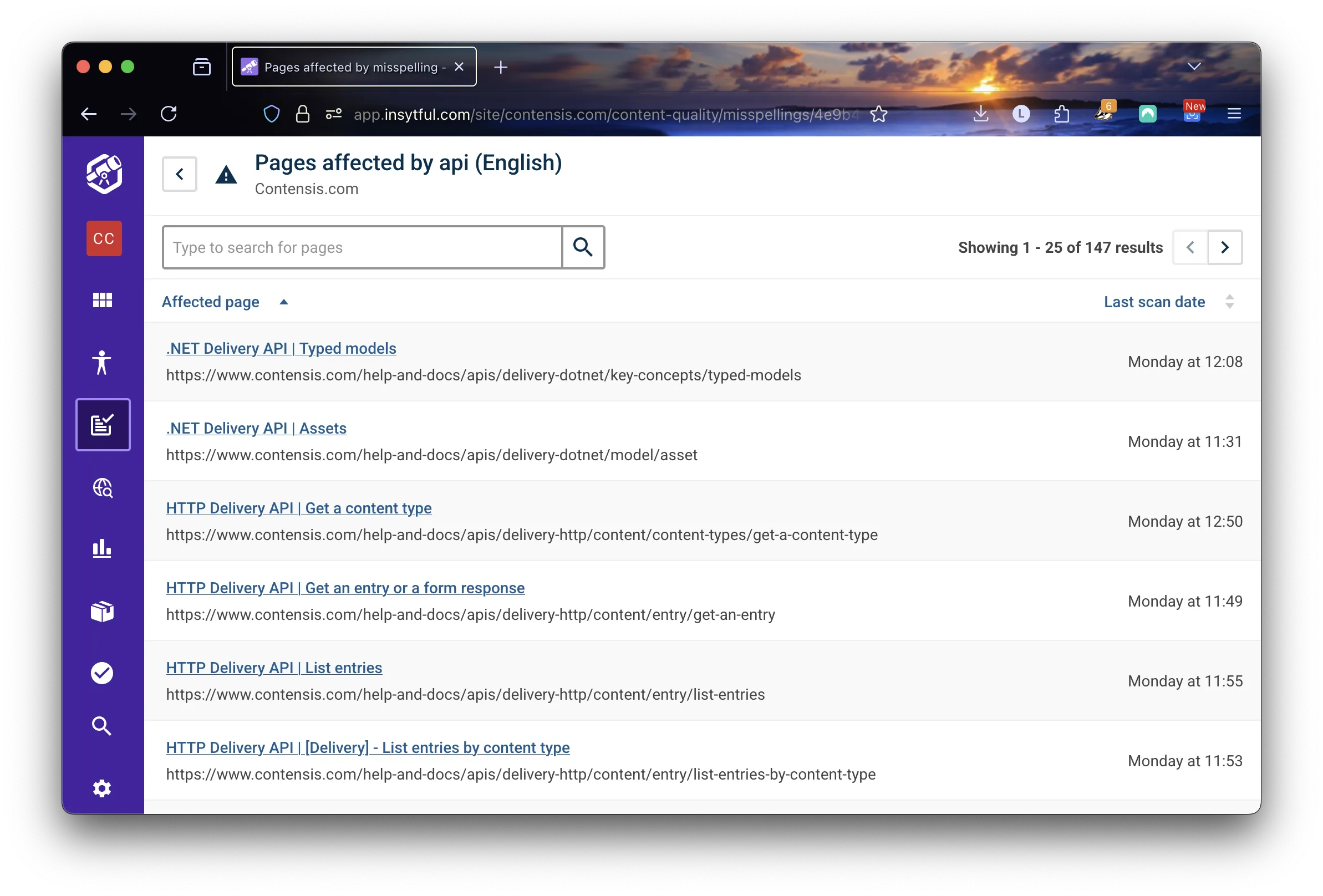
Redesigned page lists
As part of working agile, we continuously review our user journeys, screens, and feedback for Insytful. Based on this iterative way of working, we have found some improvements for our list pages.
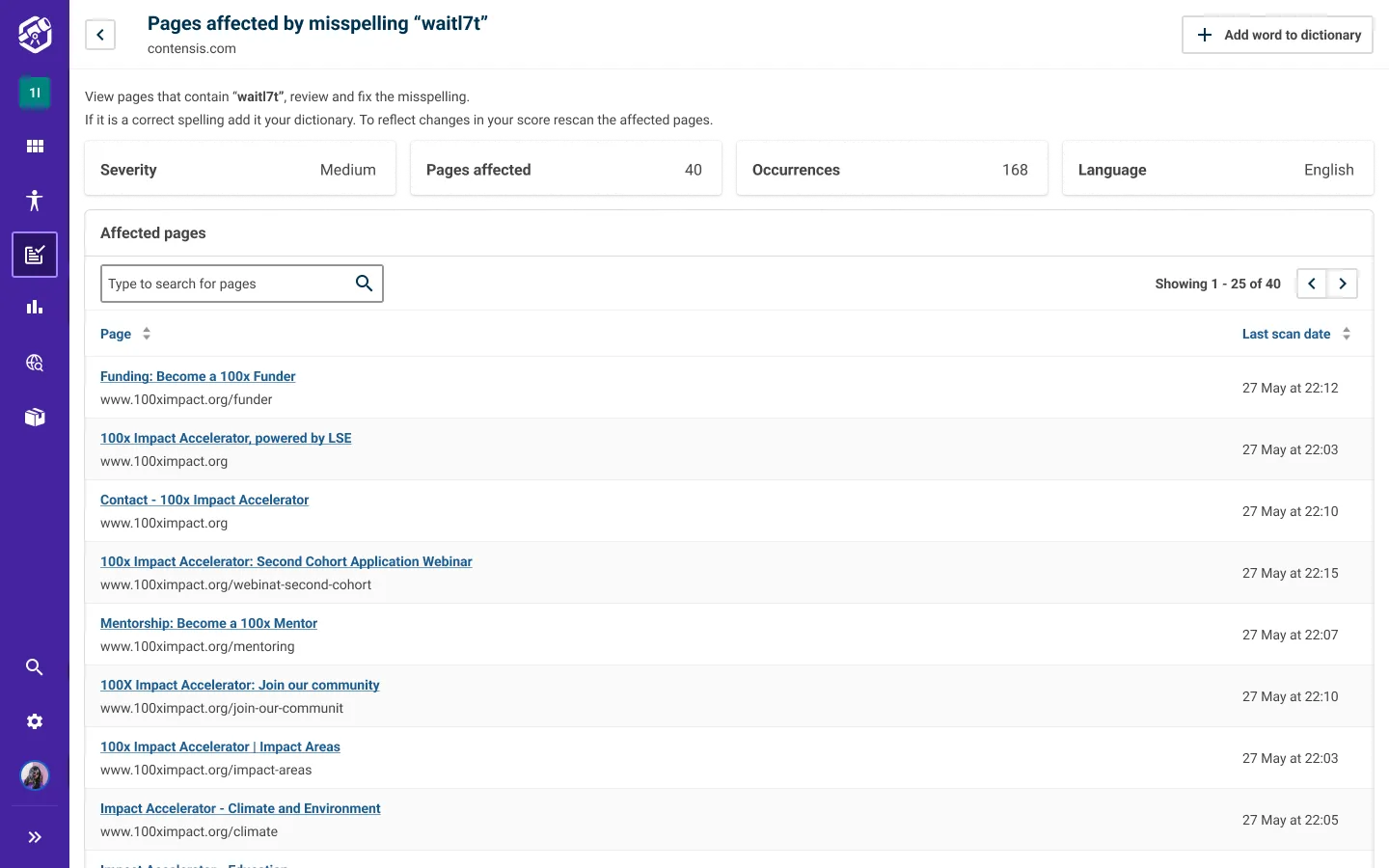
For clarity, these are the pages that show pages affected by misspellings, broken links, failed audits, and more. We found with this update that we could give more in-page guidance to users to provide a more comprehensive experience. It will also improve the user experience for anyone who lands on this page following a link shared by their colleague.
So what does that mean for your teams?
- Enhanced experience: Providing additional context, for example severity and the language.
- Work smarter: Less clicks and more quick actions, for example, updating all misspellings.
- Speed up decision making: Ask less questions and take more action.
On the blog
An introduction to assistive technology: Starting with screen readers 🤝
Have you ever wondered why using headers correctly is so important? Or why does the "click here" link text create a poor user experience for assistive technology users?
In this blog, we'll explain why the content you write matters, how screen readers work and why they matter beyond compliance.
That's a wrap on July 2025
That's a wrap on July! We hope you enjoyed this month's update.
As always, if there is anything you'd particularly like to see, make sure to add it to our open roadmap.
Spot hidden issues before your users do
Impress your visitors with an accessible and usable website. Check the health of your website, spot broken links and misspellings. Know what’s working—and what’s not—on your site, free with Insytful.
Make your website work for everyone. Scan your first 100 pages for free.

Related blog posts
Insytful monthly roundup: June 2025